How to read your Three phone bill
Keeping on top of your spending is something we’re all paying a little more attention to these days. So, in this article, we’re going to walk through how to find your Three bill and what you should expect to see on it. To view your bill online, log in to your My3 Account. On the dashboard, go to 'View All Bills'.
Bill explanation
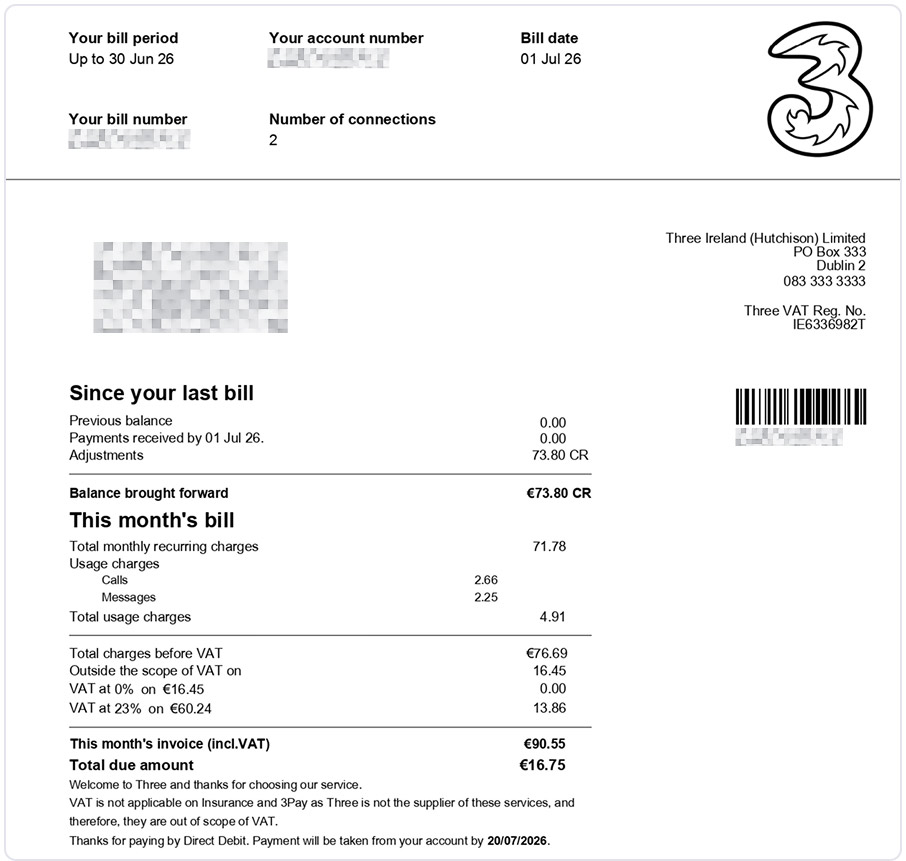
The first page of your bill is a summary of your monthly charges. At the top of your bill, you will see the following information:
- Your account number is the unique number associated with your account. If you contact us regarding your bill, this is the number that you should give us.
- Your bill number is the unique reference number for your bill.
- Your bill date is the date your bill is generated.
- If you have an account with more than one number, the total will be displayed under "Number of Connections".
Bill summary
Since your last bill
This section details the amount of your previous bill and any payments received by the due date. If you made full payment of your bill on or before the bill due date, your “Balance brought forward” will be €0.00. However, if you make a partial payment the remaining balance will be displayed in this section.
Understanding your monthly charges
The charges for the current month can be found under the heading "This month’s Bill". These charges are split into three groups; monthly recurring charges, other charges, discounts and credits, and usage charges.
Monthly recurring charges – This is the monthly charge for your price plan.
Other charges, discounts and credits – These include charges for device or add-on charges, monthly discounts or credits added by customer care.
Usage charges – These charges are for calls or texts outside of your plan, such as premium services and usage that exceeds your plan, roaming charges or charges for entertainment services.
Bank giro
If you do not have a direct debit, on the very bottom of the first page of your bill, you’ll find a bank giro. This is all you’ll need to make payment in the Post Office.
Your bill explained
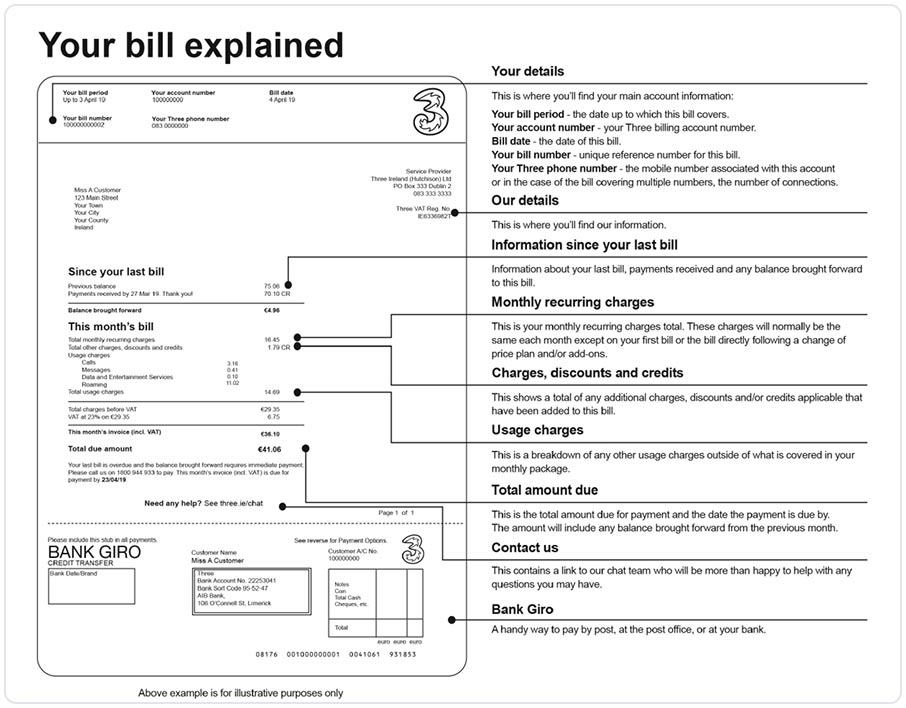
Page two of your bill will show you information about how to understand and pay the bill. On this page you will find information explaining each section of the summary page along with useful information about the various ways to pay etc. This second page is generic and will not contain any of your information.
Since your last bill
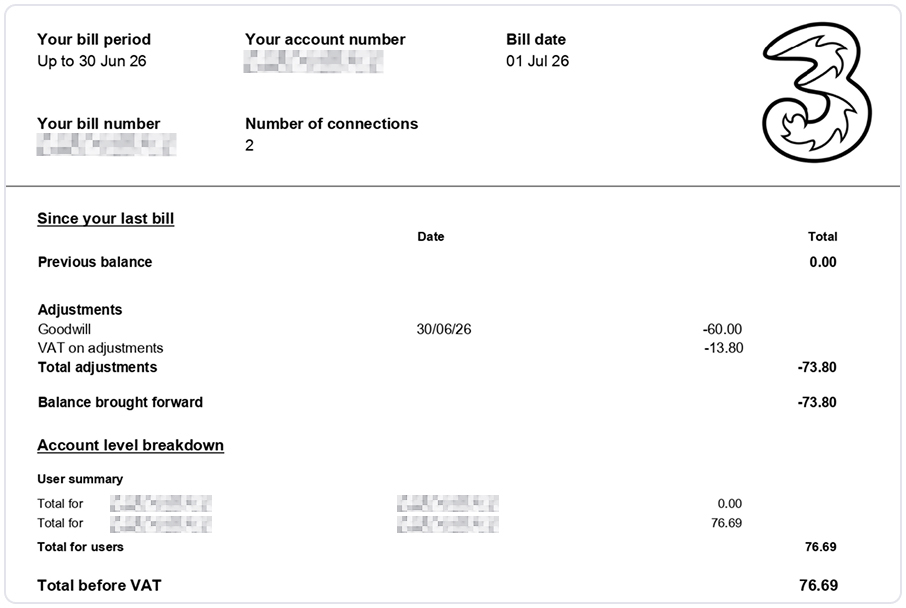
Page 3 of your bill contains the activity since your last bill. Here you’ll see confirmation of any payments received since your last bill along with any adjustments made by customer care, such as a goodwill credit.
Account level breakdown
In this section, if you have more than one number you’ll see a breakdown of total charges for each number. You’ll also see any charges applied at an account level, for example, admin fees.