How to find your mobile broadband number
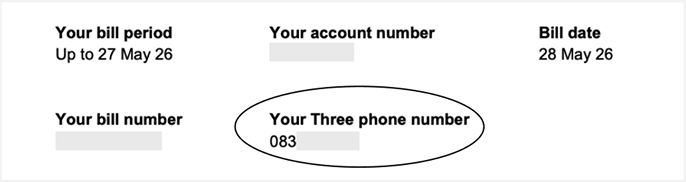
Just like a regular number, all our broadband accounts are assigned a unique mobile broadband number that starts with 083. You’ll need this number to set up your online account, make payments and it’s helpful when contacting our customer care.
Ways to find your broadband number
- Your bill – Your broadband number is listed at the top of each bill page.
- Contract – Your broadband number is included in your contract.
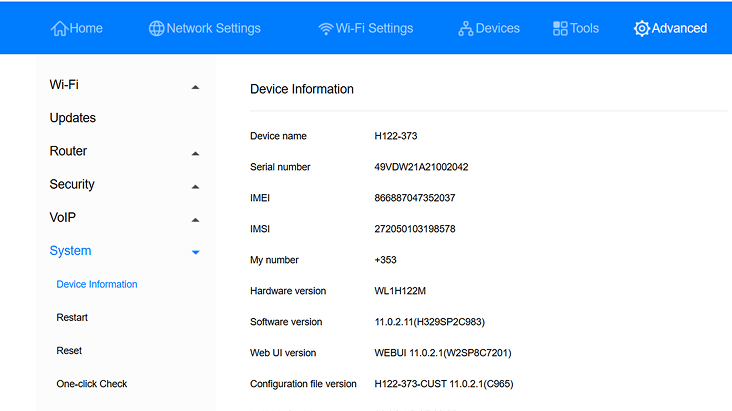
- Modem homepage – Login to http://192.168.0.1 or http://192.168.8.1, the address, username and password can be found on the bottom of your modem. Once you’ve logged in, go to 'Advanced', 'System', and then 'Device Information', and that’s where you can find My Number.
- My number – If you’re unable to do any of the above. You can pop your broadband sim into your phone and text 'my number' to 50272. This will send you an automatic response containing the broadband number.
- SIM packaging – For customers who keep their packaging, the broadband number is printed on the SIM card pack.
Need more support?
If you’d like to know more about your Three broadband, like getting the best signal and speeds, visit our broadband support. We can also assist with further guidance on setting up your Three broadband.